ChatGPT review for business: Free, Go, Plus, Pro or Business?
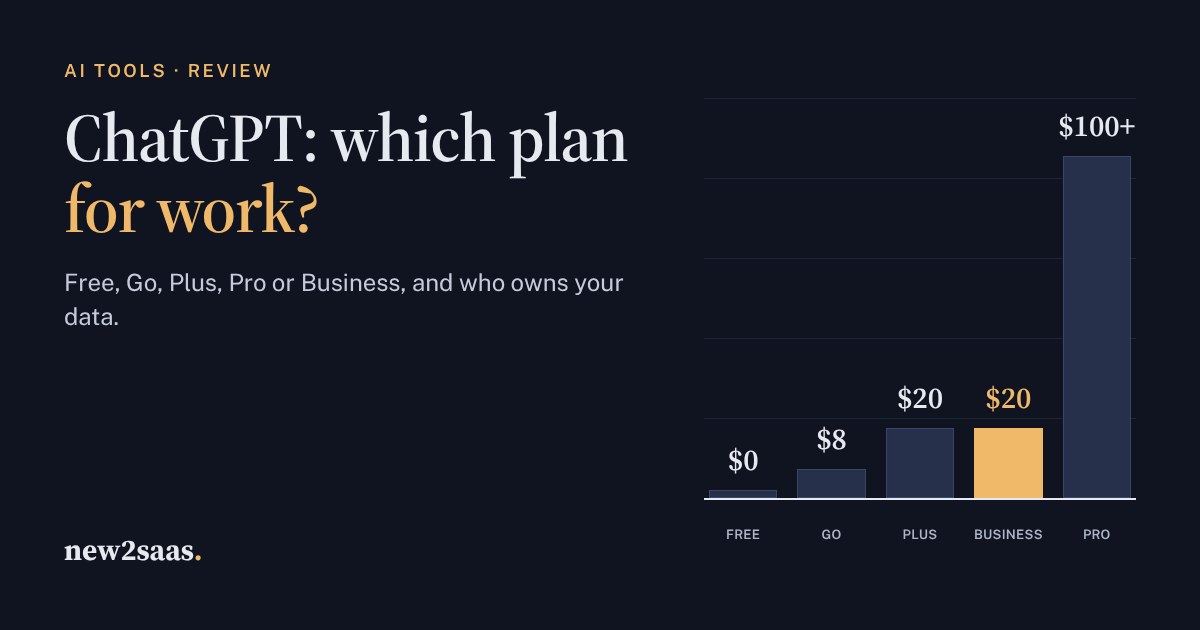
ChatGPT has six ways to pay: Free, Go at $8 a month, Plus at $20, three Pro tiers from $100 to $500, and Business at $20–25 per user with a two-seat minimum. For a company, the real choice is between staff using personal Plus accounts and a managed Business workspace.
This review explains what each plan adds, how data and training settings differ, and when Pro is worth it. The calculator compares the cost for your team.
What ChatGPT is
ChatGPT is OpenAI's AI assistant: you write or speak a request and it drafts, summarises, analyses files, writes code, searches the web, creates images and runs longer research tasks. For a small business it typically replaces hours of first drafts, spreadsheet work and research each week. It is the best-known of a crowded field that also includes Claude, Gemini and Microsoft Copilot.
The models and limits change often, so this review focuses on what changes slowly: the plans, what you pay, and how each plan treats your data. Prices are US prices from OpenAI's pricing pages, as reported in November 2026. Local prices differ by country.
The personal plans
- Free: limited messages, uploads, image creation, voice and a little deep research, on OpenAI's lighter models.
- Go, $8 a month: more messages, uploads, images and longer memory on the same lighter models. OpenAI says Go may include ads.
- Plus, $20 a month: the advanced reasoning models, expanded deep research, projects, scheduled tasks, custom GPTs and the Codex coding agent. This is the plan most professionals use.
- Pro, $100, $200 or $500 a month: the most capable "Pro" model, much higher limits, the always-on agent and the largest context window. Worth it only for people who hit Plus limits every week.
On the personal plans, you can turn off the use of your conversations for training in the settings. Each person controls their own account.
Business: the team plan
ChatGPT Business costs $25 per user a month, or $20 on yearly billing, with a minimum of 2 users. OpenAI describes it as built for teams of 2 to 200. A Premium seat type for heavy users costs $125 a month, or $100 on yearly billing. Compared with giving everyone a personal Plus account, Business adds:
- A shared, managed workspace: admins add and remove people, and work stays with the company when someone leaves.
- Business data excluded from model training by default, with company-level controls instead of per-person settings.
- Shared projects and custom GPTs across the team.
Enterprise adds more security, compliance and support, with an annual contract priced by OpenAI sales.
For a business, the main difference between Plus and Business isn't the AI. It is who controls the accounts and the data.
What ChatGPT would cost your team
Strengths and weak spots
What ChatGPT does well
- Breadth: writing, analysis, images, voice, web search, deep research and coding in one app.
- Plus is good value at $20 for one professional's daily work.
- Business is cheap to start: two seats on yearly billing cost $40 a month.
- Familiarity: most new hires have already used it.
What to watch
- Plans and limits change often. What a plan includes this month may differ next month.
- Personal accounts at work mean company knowledge sits in accounts the company doesn't control.
- Go may show ads, which matters for client-facing work.
- Answers can be wrong. Check figures, quotes and legal or medical claims before you use them.
Who should pick which plan
- Trying it out, or light personal use: Free.
- One professional, daily use: Plus.
- Two or more people using it for company work: Business. It costs the same as Plus per person on yearly billing, and the company owns the workspace.
- Someone who hits Plus limits every week (heavy coding, long research): Pro, or a Premium Business seat for that person only.
Before you commit a whole team, run the same five real tasks through ChatGPT and at least one alternative (Claude, Gemini or Microsoft Copilot, which may already come with your Microsoft 365). The best tool depends on your work, and switching later is easy.
What to look for
- Decide who owns the data before staff start pasting in client information.
- Count heavy users separately: only they need Pro or Premium seats.
- Write a one-page AI policy: what may be shared, and what must be checked by a person.
- Review plans every few months, because limits and prices move.