HubSpot review: what the free CRM covers, and when it starts to cost
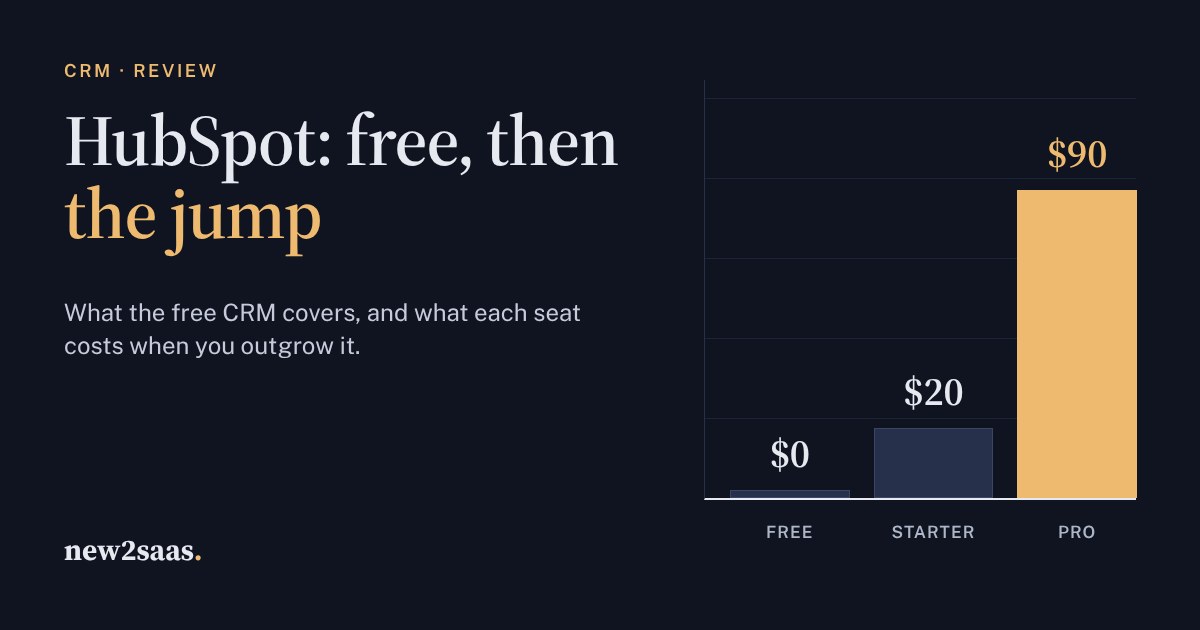
HubSpot's free CRM is genuinely useful, but it now stops at two users and 1,000 contacts. Starter fixes that for $20 per seat a month at list price, and less with the current new-customer offer.
The price jumps at Sales Hub Professional: $90 per seat billed yearly plus a $1,500 onboarding fee, which buys sequences, forecasting and serious automation. Use the calculator to see which plan your team needs and what the first year really costs.
What HubSpot actually is
HubSpot is a CRM: one shared place for every customer and lead, with each email, call, meeting and deal attached to the right person. Around that core it sells "hubs" for marketing, sales, service, content and data. That bundle is why the pricing looks confusing. Most small businesses only need to answer one question: do we need the free CRM, Starter, or Sales Hub Professional?
The short answer: the free plan is real and useful, Starter is cheap, and Professional costs a lot more. This guide shows where each one stops, and the calculator below shows what your team would pay.
The free CRM: good, but now two users
The free plan doesn't run out after a trial and needs no credit card. HubSpot's pricing page currently lists:
- Up to 2 users. Older reviews say "unlimited users"; that is no longer what the pricing page says.
- 1,000 contacts, plus 1,000 records of other kinds (companies, deals and so on).
- 2,000 marketing emails a month, with HubSpot branding.
- A deal pipeline, email tracking, one meeting-booking link, simple landing pages and 10 dashboards.
- Help through the community, the Academy and the knowledge base. Email and chat support are not included.
For a freelancer, or two founders keeping track of a few hundred customers, that is enough. It is a better CRM than a spreadsheet, and moving up to a paid plan later doesn't mean moving your data.
Starter: the cheap step
The list price of Starter is $20 per seat a month. At the time of writing, new customers get a limited-time price: $7 per seat a month paid yearly, or $10 paid monthly. HubSpot shows prices in US dollars, even on its European sites, and they exclude VAT.
Starter is what you pay for once a third person needs to log in, or the HubSpot branding starts to look unprofessional. It also adds:
- Up to 50 simple workflows, for example "create a task when a deal moves stage". HubSpot calls their triggers and actions "restricted".
- Up to 15 pipelines across the account.
- 500 HubSpot Credits, which pay for the built-in AI features.
- Branding removed from emails, meeting links and pages.
Professional: where the price jumps
Sales Hub Professional costs $90 per seat a month billed yearly ($100 billed monthly), plus a one-time $1,500 onboarding fee. Enterprise starts at $150 per seat with a $3,500 onboarding fee. Most small teams never need Enterprise.
The pricing page lists these as new in Professional:
- Sequences: automated follow-up emails that stop when the person replies.
- Forecasting: how much revenue the pipeline should bring in this quarter.
- Up to 300 fully customisable workflows, instead of 50 restricted ones.
- Up to 100 pipelines and 100 custom reports.
Moving from Starter to Professional more than quadruples the price per seat, before you count onboarding. Buy it for sequences or forecasting you will use every week, not "just in case".
When to look elsewhere
The gap between Starter and Professional is the main reason teams compare HubSpot with other CRMs. If what you are missing is automatic follow-ups and a forecast, Pipedrive's Growth plan includes email sequences and forecast reports for $39 per seat a month, billed yearly. It is built around the sales pipeline, though, and doesn't bundle marketing, website and support tools the way HubSpot's hubs do.
Stay with HubSpot when you want marketing, sales and support in one place and expect to grow into it. That is what HubSpot is built for, and the free plan is the cheapest way to find out whether it suits you.
What to look for
- Count the people who need to log in, not the people in the company. Seats are what you pay for.
- Price the plan you will need in a year, not the one you need today, including onboarding.
- Check the dates on discounts. New-customer prices are limited-time offers; budget for the list price.
- Try the free plan with real data for two weeks before paying for anything.