Asana review: what the free plan covers, and what Starter and Advanced add
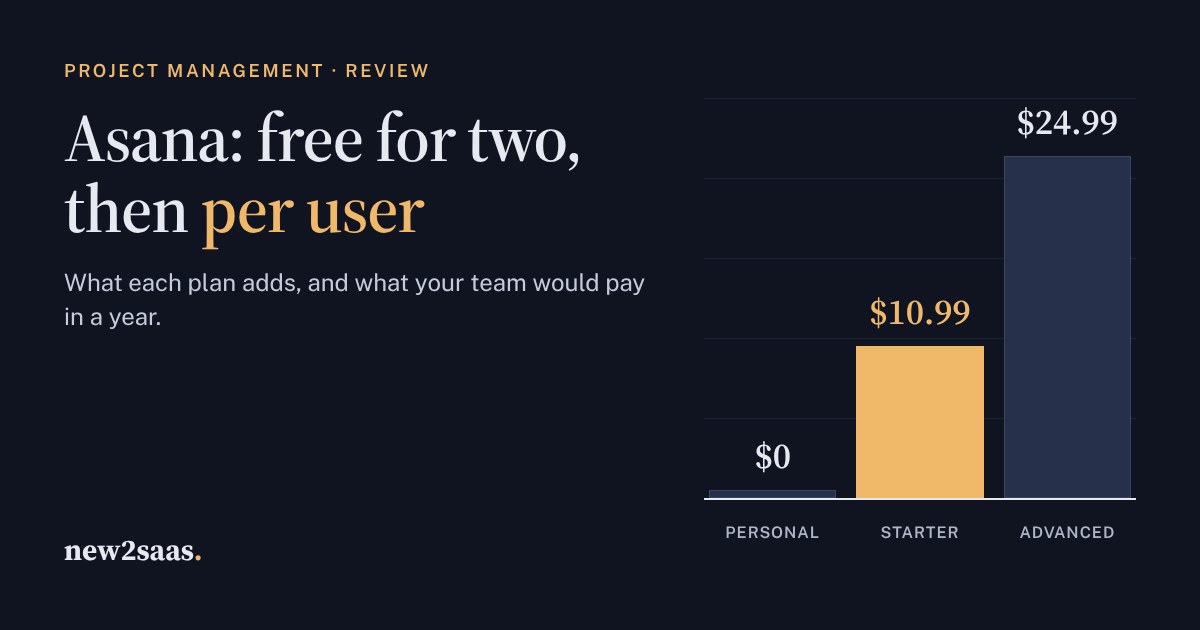
Asana is one of the most polished project management tools, but its free Personal plan is now for two people. Teams pay per user: $10.99 a month for Starter and $24.99 for Advanced on yearly billing, or about a fifth more month to month.
This review explains what each plan adds (timelines, dashboards and automations on Starter; portfolios, goals and resource management on Advanced) and how the AI allowance works. The calculator shows which plan your team needs and what a year costs.
What Asana is
Asana is a work management tool: projects broken into tasks, each with an owner and a due date, shown as a list, a board or a calendar. It is built for teams who hand work to each other, such as marketing campaigns, product launches, client onboarding and editorial calendars, rather than for one person's to-do list. It connects to the usual tools (Slack, Google Workspace, Microsoft 365 and others; the free plan lists 100+ integrations).
The question most teams have is not whether Asana is good. It is which plan they need and what it will cost once everyone is on it. Prices below are from Asana's pricing page in November 2026, in US dollars per user per month.
Personal: free, for two
The free Personal plan has no time limit and covers up to 2 users. You get unlimited tasks and projects; list, board and calendar views; status updates; file attachments up to 100 MB each; and 100+ integrations. It does not include timelines, dashboards, automations or forms. It is enough for a freelancer or two partners, and a good way to see whether Asana suits you. A team of three needs a paid plan.
Starter: the team plan
Starter costs $10.99 per user a month billed yearly, or $13.49 billed monthly. Asana says yearly billing saves up to 18%. Starter is the plan most small teams need. It adds:
- Timeline and Gantt views, to see how tasks depend on each other over time.
- Reporting dashboards across projects.
- Unlimited automations, for example "when a task moves to Done, notify the client lead".
- Forms, custom fields and custom templates.
- Unlimited free guests, so clients and freelancers can join projects without a paid seat.
Advanced: for managing many projects
Advanced costs $24.99 per user a month billed yearly, or $30.49 billed monthly, more than twice Starter. It is for teams that run many projects at once and need to see them together:
- Portfolios (unlimited) and goals, to track groups of projects against company targets.
- Resource management: who has capacity, and who is overloaded.
- Approvals and proofing, useful for creative and marketing teams.
- Time tracking with estimated versus actual time.
- Branching forms, AI meeting notes and reporting connectors for Salesforce, Tableau and Power BI.
Enterprise adds SAML single sign-on, SCIM user provisioning, capacity planning and admin controls. Its price is quoted by sales.
How the AI allowance works
Asana's AI is metered. Starter and Advanced include 5 AI requests per user a month (with an account limit of 50) and a monthly pool of AI Studio credits for automated AI workflows: 50,000 on Starter and 75,000 on Advanced. Beyond that, extra requests cost $0.50 each in prepaid packs or $0.60 billed monthly, or you can add $5.99 per user a month on yearly billing. If AI is the reason you are choosing Asana, budget for it separately.
What Asana would cost your team
Strengths and weak spots
What Asana does well
- It is easy to start. The list, board and calendar views make sense without training, and the free plan is genuinely usable.
- Unlimited automations from Starter, where some rivals cap them.
- Free guests on paid plans, so clients don't cost you a seat.
- Portfolios and goals on Advanced, which give managers one view across many projects.
What to watch
- The free plan stops at two people. A growing team will need paid seats sooner than with some rivals.
- Every member pays. Prices are per user, so a 20-person team on Starter costs about $2,600 a year on yearly billing.
- The jump to Advanced is steep. At $24.99 per user, it costs more than twice Starter. Most small teams only need it for portfolios or resource management.
- AI is metered, and heavy use costs extra.
Who Asana is for
Start on Personal with one colleague. Move to Starter when a third person joins or you need timelines and automations. Pay for Advanced only when you manage many projects at once.
Asana suits teams of roughly 3–50 people who hand work between them and want a tool that non-technical colleagues will actually use. If your team mainly writes documents and wikis, a tool like Notion may fit better. If you are a software team running sprints, look at Jira or Linear, which are built around that.
What to look for
- Count who really needs to edit. Clients and freelancers can be free guests on paid plans.
- Check the views you will use every week. If you never need timelines or dashboards, the free plan may do.
- Price yearly against monthly. Yearly saves about 18% but commits you for 12 months.
- Ask how AI is billed before you build workflows that depend on it.